5) VSLAM and RealSense setup and usage on AGX Orin
Connect the camera to any USB-A connector on the AGX Orin (USB-A 3.2 are recommended).
5.1) Intel RealSense cameras
Check how the camera is detected
List only the USB devices with VID 0x8086 (Intel).
lsusb -d 8086:
The output should be similar to:
Bus 002 Device 005: ID 8086:0b3a Intel Corp. Intel(R) RealSense(TM) Depth Camera 435i
where 0x0B3A is the PID of RealSense D435i.
Install the packages
Register the server’s public key:
sudo apt-key adv --keyserver keyserver.ubuntu.com --recv-key F6E65AC044F831AC80A06380C8B3A55A6F3EFCDE || sudo apt-key adv --keyserver hkp://keyserver.ubuntu.com:80 --recv-key F6E65AC044F831AC80A06380C8B3A55A6F3EFCDE
Add the server to the list of repositories:
sudo add-apt-repository "deb https://librealsense.intel.com/Debian/apt-repo $(lsb_release -cs) main" -u
Install the SDK:
sudo apt install librealsense2-utils
sudo apt install librealsense2-dev
Test the functionality with RealSense Viewer
realsense-viewer
Note
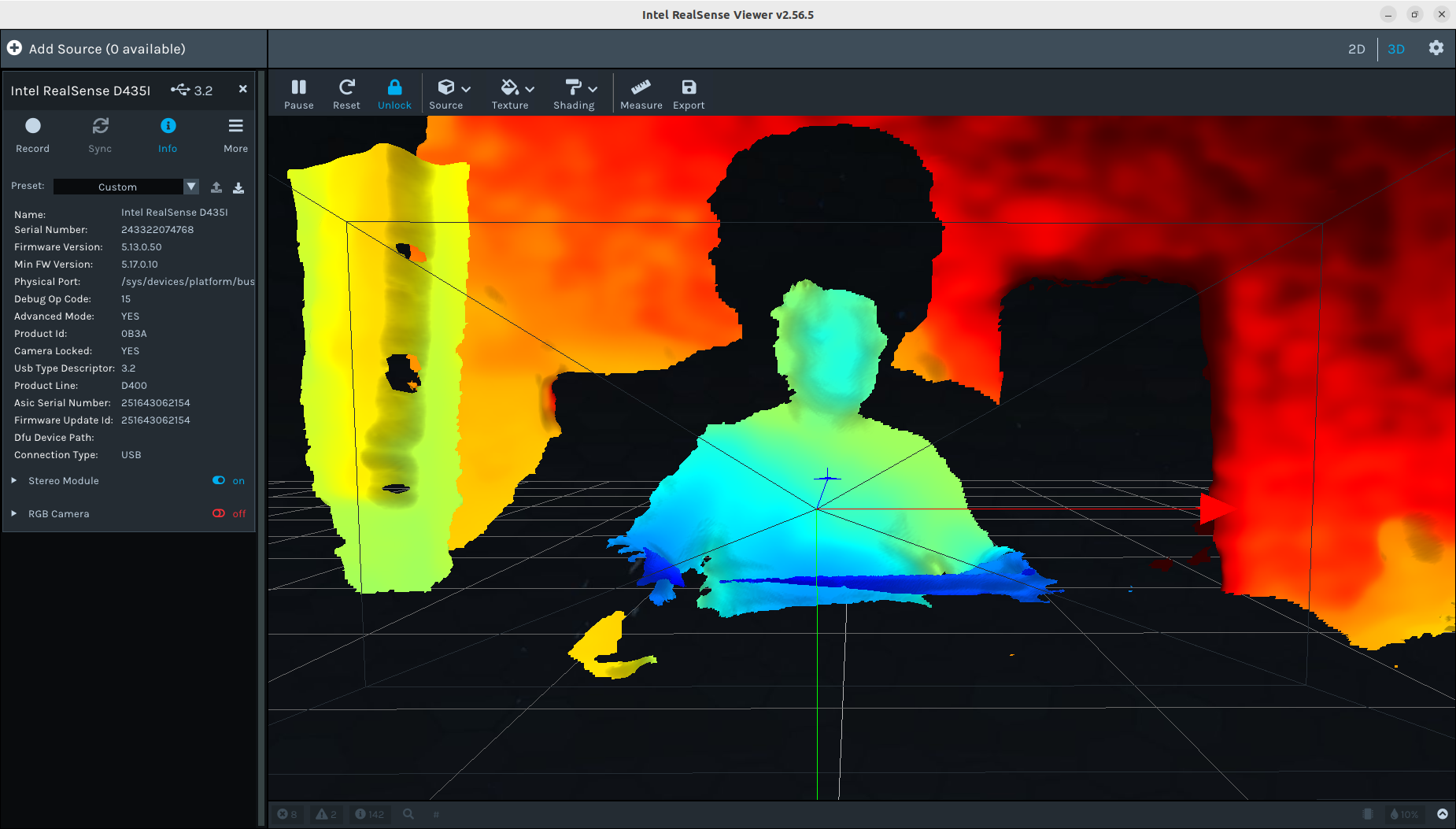
This is the application running in “native mode”, outside the docker.
Tip
The application version is 2.56.5
Note the current firmware version, which is 5.13.0.50. The last firmware version is reported as 5.17.0.10.
Important
There is no IMU group in the left panel, under the Stereo Module and RGB Camera.
Load the Docker
cd $ISAAC_ROS_WS
source ./install/setup.bash
cd ./src/isaac_ros_common
./scripts/run_dev.sh
Inside the container, relaunch the viewer:
realsense-viewer
Tip
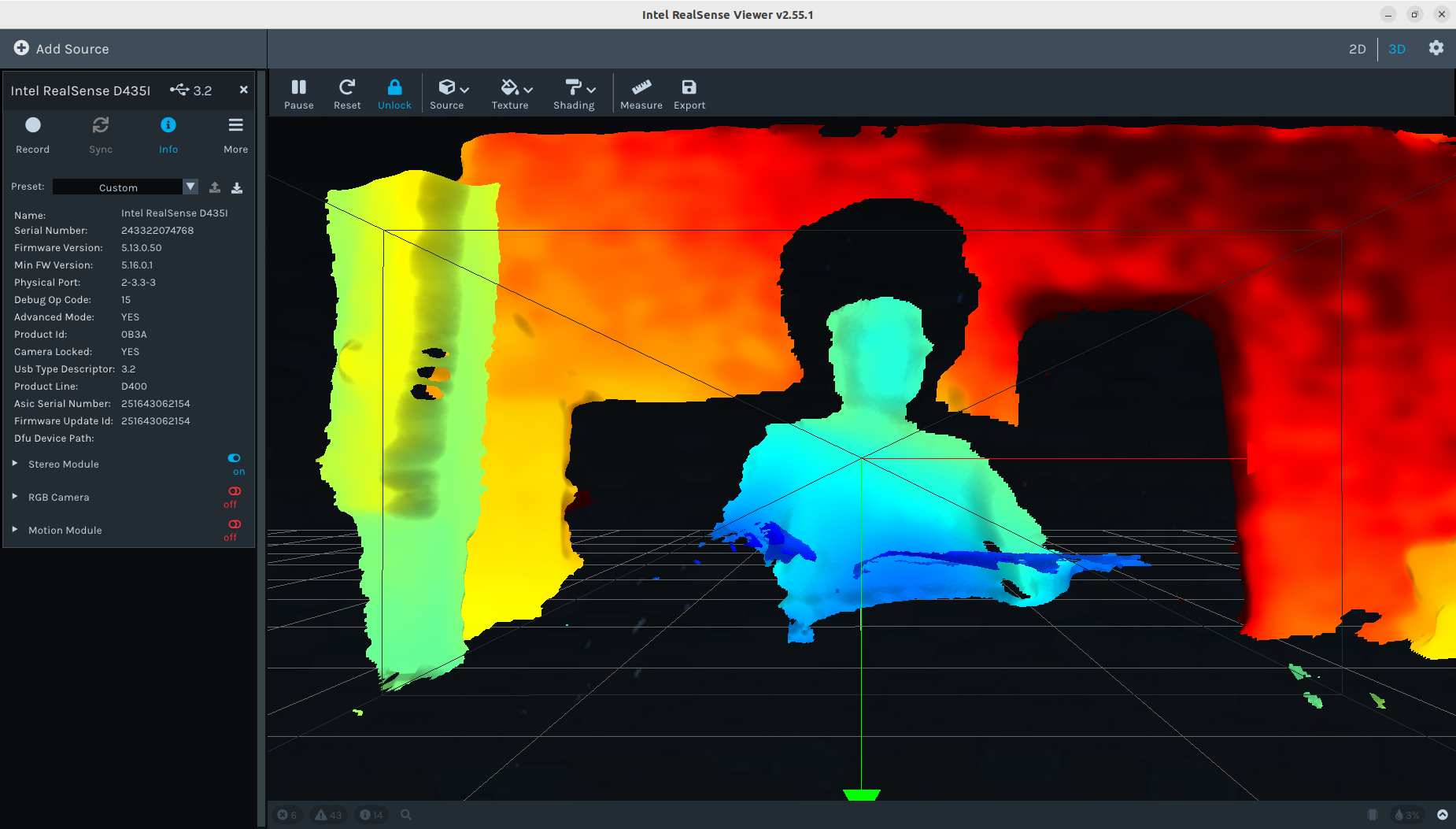
The application version is 2.55.1
Note that the last firmware version is reported as 5.16.0.1, which is different than the non-docker one (5.17.0.10).
Important
There is a Motion Module group in the left panel, under the Stereo Module and RGB Camera.
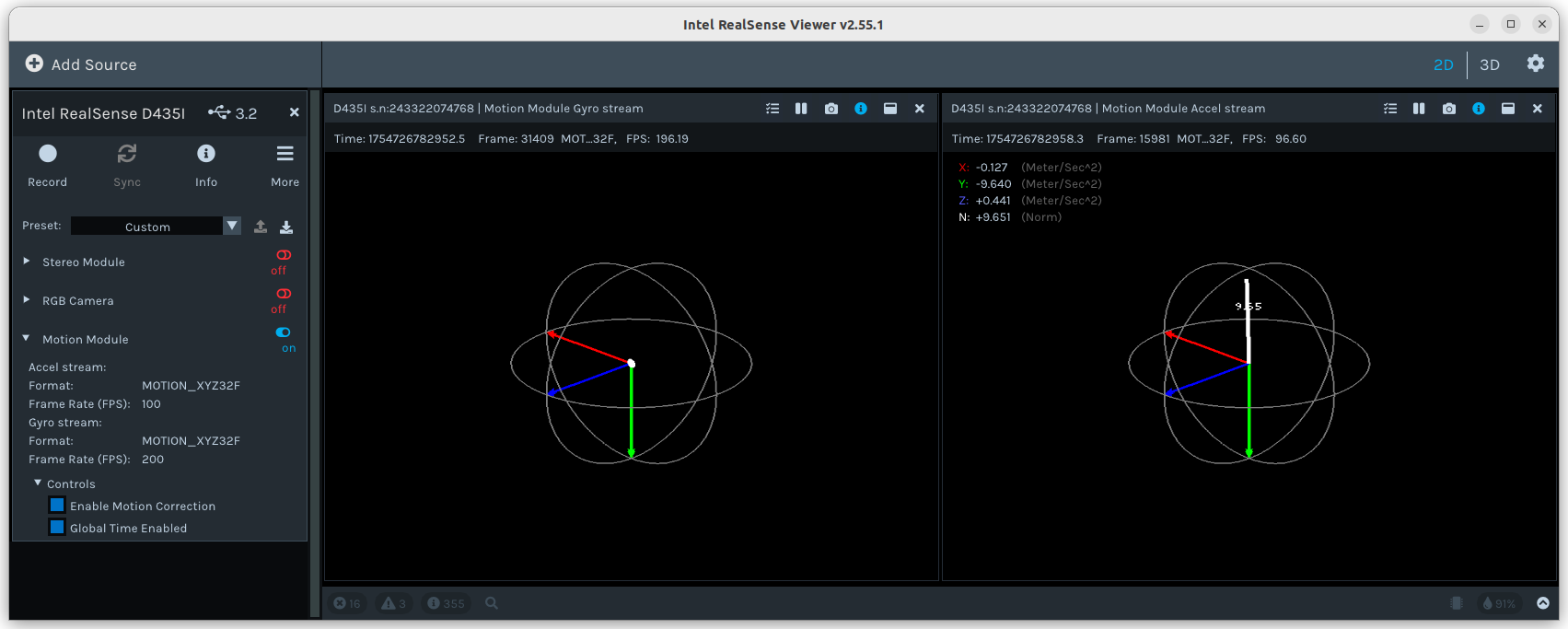
Select the 2D view mode and enable the Motion Module. Rotate the camera module and check how gyroscope and accelerometer values change.
Test the VSLAM ROS nodes
In the existing terminal run:
sudo apt update
sudo apt install -y ros-humble-isaac-ros-visual-slam ros-humble-isaac-ros-examples ros-humble-isaac-ros-realsense
Start a quick VSLAM demo:
ros2 launch isaac_ros_examples isaac_ros_examples.launch.py launch_fragments:=realsense_stereo_rect,visual_slam \
interface_specs_file:=${ISAAC_ROS_WS}/isaac_ros_assets/isaac_ros_visual_slam/quickstart_interface_specs.json \
base_frame:=camera_link camera_optical_frames:="['camera_infra1_optical_frame', 'camera_infra2_optical_frame']"
Warning
Note that closing this terminal will unload the docker from all terminals which are created in the following, and where docker has been loaded.
Open another terminal and run:
cd $ISAAC_ROS_WS
source ./install/setup.bash
cd ./src/isaac_ros_common
./scripts/run_dev.sh

rviz2 -d $(ros2 pkg prefix isaac_ros_visual_slam --share)/rviz/default.cfg.rviz
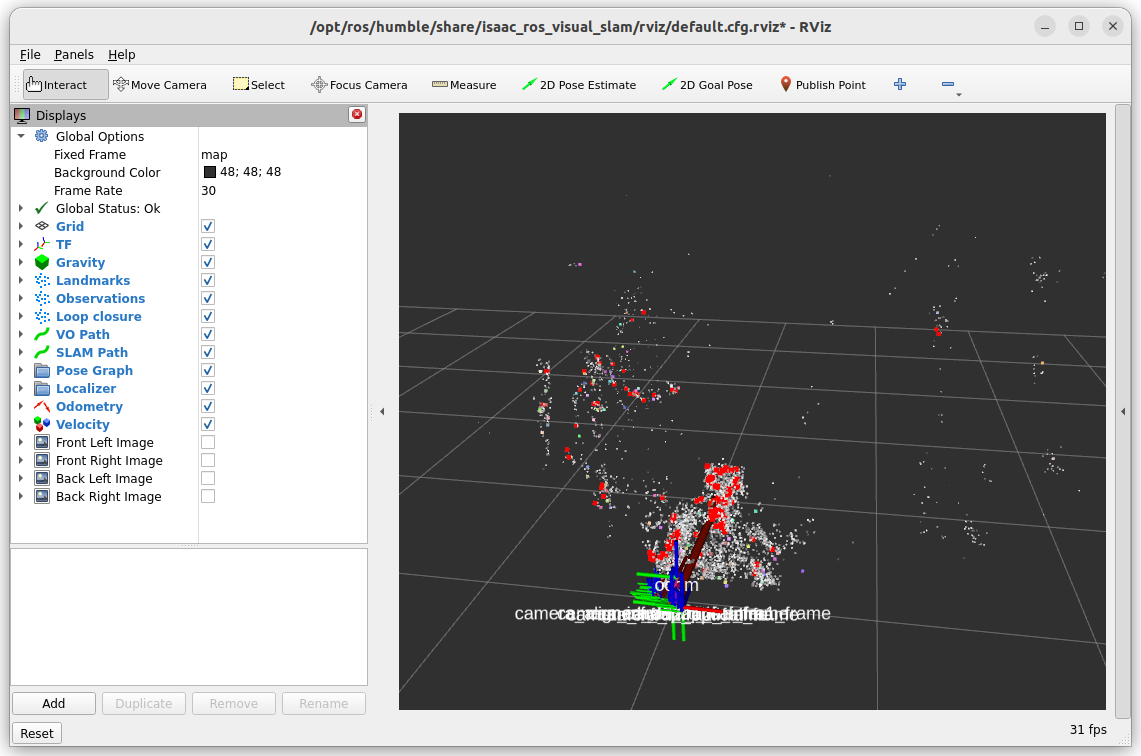
The RViz scene, displaying the point cloud, should look similar to:
You can also check the available topics:
ros2 topic list
The output should be similar to:
/diagnostics
/extrinsics/depth_to_infra1
/extrinsics/depth_to_infra2
/imu
/infra1/image_rect_raw/compressed
/infra1/image_rect_raw/compressedDepth
/infra1/image_rect_raw/theora
/infra1/image_rect_raw_mono
/infra1/image_rect_raw_mono/nitros
/infra1/metadata
/infra2/image_rect_raw/compressed
/infra2/image_rect_raw/compressedDepth
/infra2/image_rect_raw/theora
/infra2/image_rect_raw_mono
/infra2/image_rect_raw_mono/nitros
/infra2/metadata
/left/camera_info_rect
/left/image_rect
/left/image_rect/nitros
/left/image_rect_mono
/left/image_rect_mono/nitros
/parameter_events
/right/camera_info_rect
/right/image_rect
/right/image_rect/nitros
/right/image_rect_mono
/right/image_rect_mono/nitros
/rosout
/tf
/tf_static
/visual_slam/initial_pose
/visual_slam/status
/visual_slam/tracking/odometry
/visual_slam/tracking/slam_path
/visual_slam/tracking/vo_path
/visual_slam/tracking/vo_pose
/visual_slam/tracking/vo_pose_covariance
/visual_slam/trigger_hint
/visual_slam/vis/gravity
/visual_slam/vis/landmarks_cloud
/visual_slam/vis/localizer
/visual_slam/vis/localizer_loop_closure_cloud
/visual_slam/vis/localizer_map_cloud
/visual_slam/vis/localizer_observations_cloud
/visual_slam/vis/loop_closure_cloud
/visual_slam/vis/observations_cloud
/visual_slam/vis/pose_graph_edges
/visual_slam/vis/pose_graph_edges2
/visual_slam/vis/pose_graph_nodes
/visual_slam/vis/slam_odometry
/visual_slam/vis/velocity
Reference links
- This tutorial is based on the official NVIDIA Isaac ROS documentation. More information about configuring VSLAM in the Nvidia ecosystem can be found at the following pages:
https://nvidia-isaac-ros.github.io/concepts/visual_slam/cuvslam/index.html
https://nvidia-isaac-ros.github.io/repositories_and_packages/isaac_ros_visual_slam/index.html
https://nvidia-isaac-ros.github.io/getting_started/hardware_setup/sensors/realsense_setup.html
https://nvidia-isaac-ros.github.io/concepts/visual_slam/cuvslam/validating_cuvslam_setup.html